Deploying
I deployed my retrieval graph to langgraph cloud. The process was quite straight-forward.
-
I created a Plus account on LangSmith. This is necessary. Free-tier developer account does not allow deploying to LangGraph cloud. This costs 39 USD / month.
-
Now from LangSmith left-nav bar, I can go to Deployments > LangGraph Platform. Here I can initiate a + New Deployment.
-
I can Import from GitHub my langGraph repo! And add my environment configurations (the ones in
.envfile).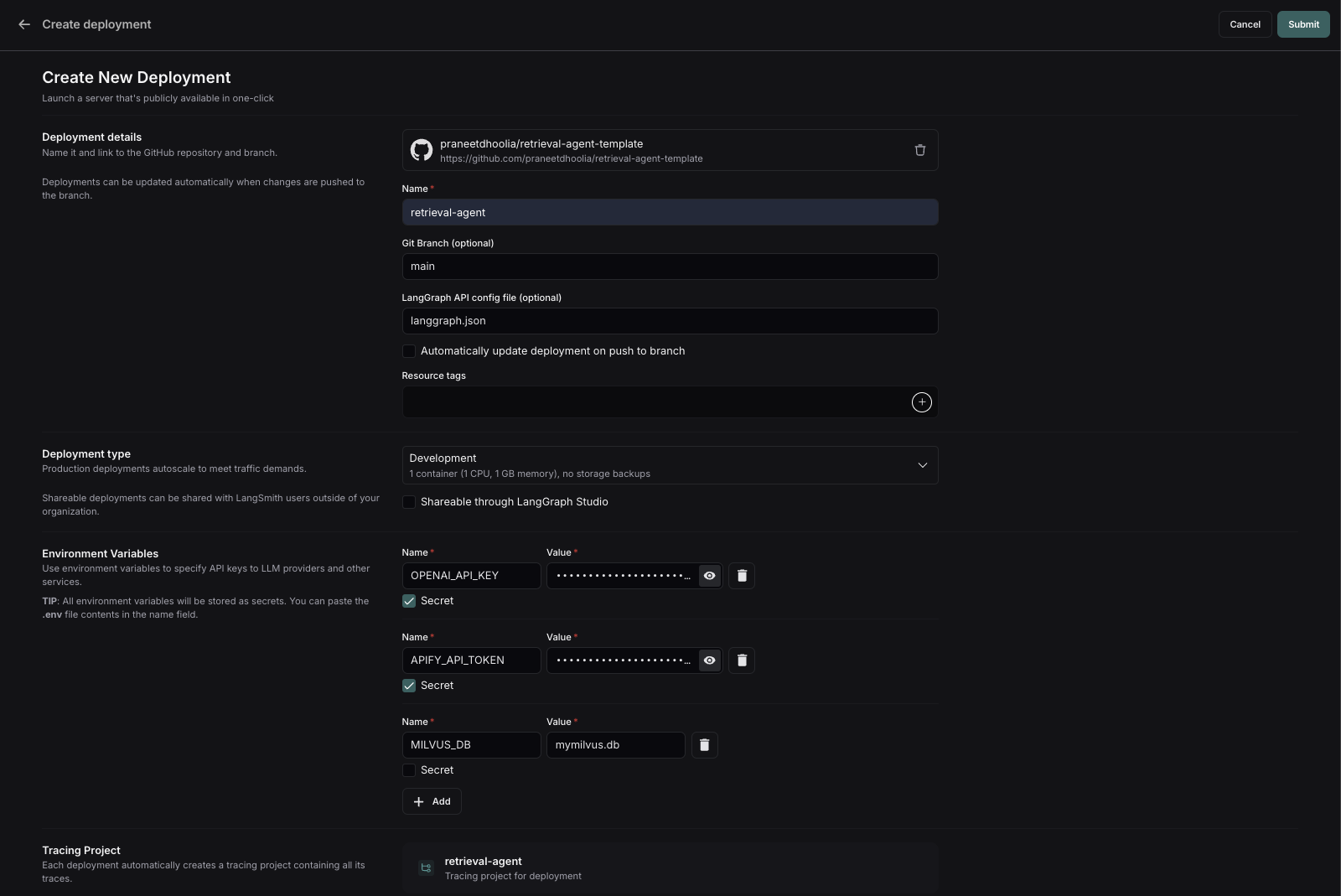
FIG 1 - A new LangGraph Cloud deployment, imported from GitHub with its environment configuration. -
And I just Submit to deploy! This step takes around 15+ minutes. Once this finishes, I click on LangGraph Studio to access the studio to test my graphs!
What I noticed
I noticed that to update an environment variable, I need to deploy a new version. Whole 15+ minutes once again 😞. I have no doubt that this will get better in the future.
Code & references
- LangSmith, where LangGraph Cloud deployments live - smith.langchain.com